
Forms are a great way to capture leads, qualify prospects, and collect customer information, but what happens after someone clicks Submit?
With Calendly and Typeform, you can let respondents book a meeting without leaving your form, and automatically sync every submission with Calendly Contacts for future follow-up.
2 ways to connect Typeform and Calendly
There are two native ways to connect Typeform and Calendly, and each solves a different problem. Which one you use depends on your goal — and many teams benefit from using both together.
- The Calendly app for Typeform: Add a Calendly scheduling step to let respondents schedule meetings right from your Typeform..
- Calendly Contacts sync: Automatically create Calendly contact profiles from every Typeform submission, even if your form doesn’t include a scheduling step.
1. Turn Typeform responses into booked meetings
The Calendly app for Typeform lets respondents schedule time with you right from your Typeform.
Add Calendly as a scheduling question block directly in your Typeform to collect information, qualify leads, and let respondents book a meeting, all in a single flow. Instead of submitting a form and waiting for a follow-up email, they can choose a time before they leave the page.
Qualify sales leads before they book
Typeform's conditional logic lets you guide respondents down different paths based on their answers. Use it to qualify leads before displaying the Calendly appointment question, so only the right prospects can book time with your team.
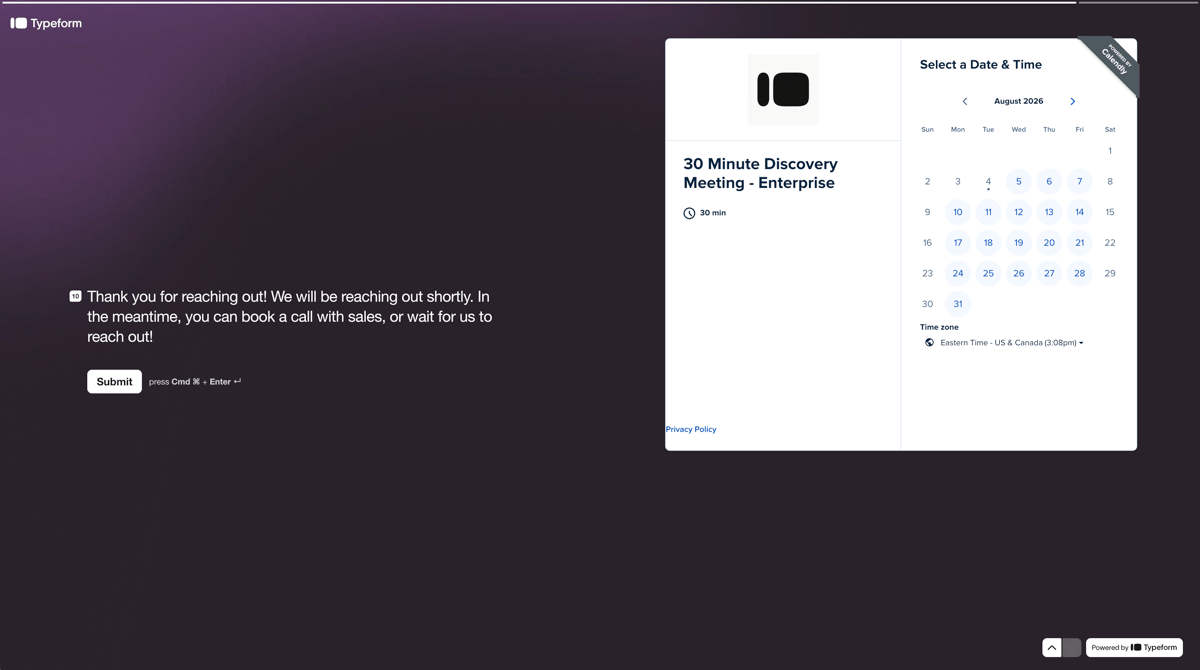
For example, Typeform uses a Calendly scheduling block in their Contact sales form to qualify Enterprise leads and let those prospects book a discovery meeting without leaving the form.
Screen and schedule recruiting candidates
Collect details including work experience, skills, and other qualifying information before inviting candidates to schedule time with a recruiter. Candidates enjoy a seamless experience, while your team has the context they need before the conversation begins.
2. Automatically turn every Typeform submission into a Calendly contact
Not every Typeform includes a scheduling step, and not every respondent is ready to book a meeting. Surveys, waitlists, intake forms, and lead-gen quizzes all capture valuable information.
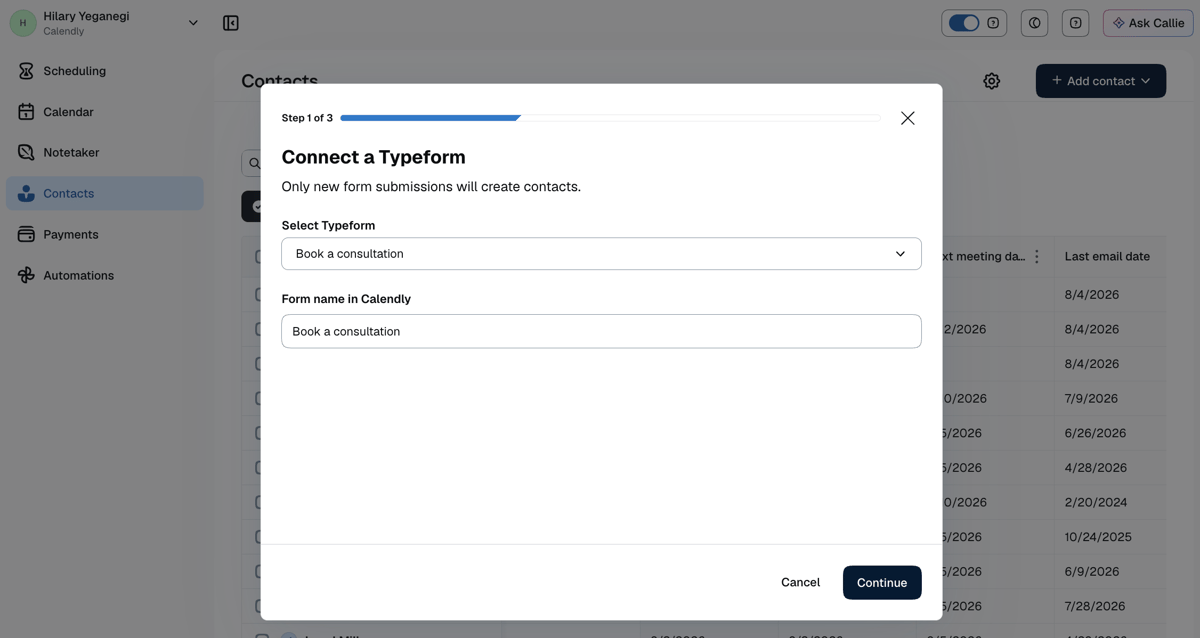
With the Calendly Contacts integration for Typeform, every submission automatically creates a contact in Calendly, even if your form doesn't include a Calendly appointment question. If the contact already exists in Calendly, you can merge the information from the Typeform submission with the contact profile in Calendly. Instead of manually exporting spreadsheets or copying information between tools, your contacts stay up to date in real time. This gives you a centralized place to manage relationships as they develop.
Connect this integration when you want to organize form submissions and contact information within Calendly for follow-ups, pipeline tracking, or reporting.
Get started with Calendly and Typeform
The two integrations complement each other by supporting different types of forms.
Use the Calendly app for Typeform to let qualified respondents book meetings directly from your form, and use the Calendly Contacts integration to automatically create contacts from every Typeform submission — even when no scheduling question is included.
Together, they help you turn every form submission into an organized contact record, whether someone books today or later.
Add the Calendly app for Typeform to include a scheduling question block in your form. Learn more.
Connect Typeform to Calendly Contacts to automatically create contacts from every Typeform submission. Learn more.
Get started with Calendly
Ready to make meetings easier than ever?